Apple Watch connects directly to your e-bike
Yah! Ride.
Leave the phone. Keep the whole ride.
Ride with just your Watch and bike. Yahride connects Apple Watch straight to a compatible drive system for live power, cadence, speed, battery, range, and assist—while recording the workout to Apple Health. Bring iPhone when you want the larger map and route tools.
Free at launch. No ads. No account. No phone required during the ride.
One ride, two screens
Everything important stays one glance away
Start at your wrist, let Yahride connect to the bike, then choose the view that fits the moment. Tap a step to explore the live app screens.
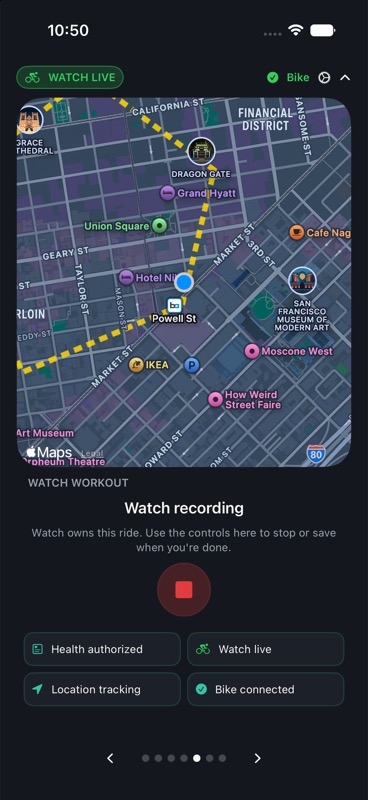
Step 1 of 5: Get ready
A ride computer, not a generic tracker
Built around the bike beneath you
Telemetry from the drive unit
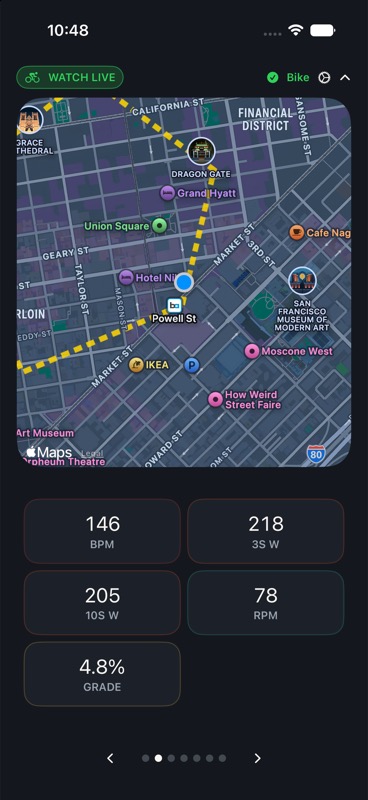
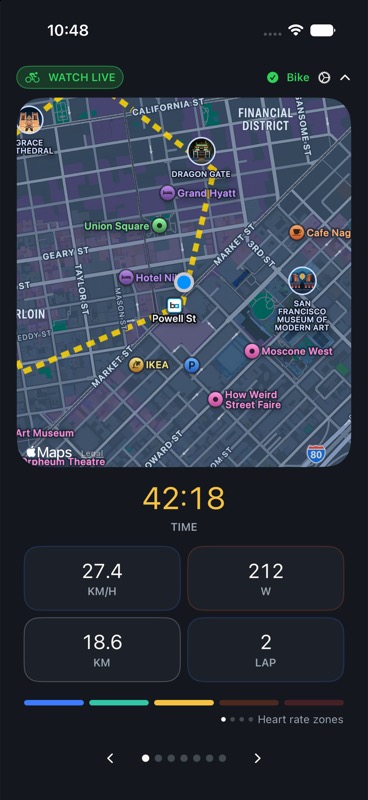
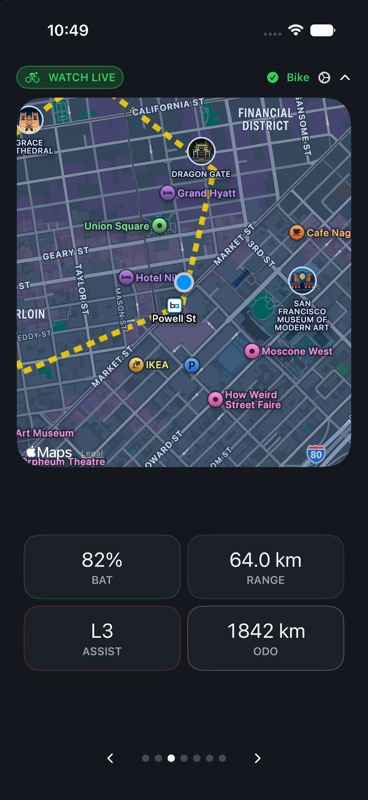
See speed, cadence, power, distance, battery, range, assist, temperatures, trip data, and supported bike details live over Bluetooth. These are bike readings, not estimates from the phone.
Route context on phone and wrist
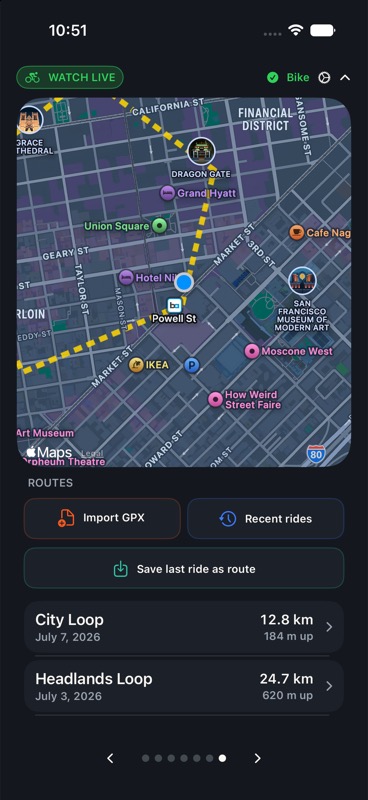
Import GPX or save a completed ride as a route. Follow the dashed planned line beside your recorded trail, see progress and off-course status, and use optional beta turn cues when route geometry supports them.
Pages that fit your ride
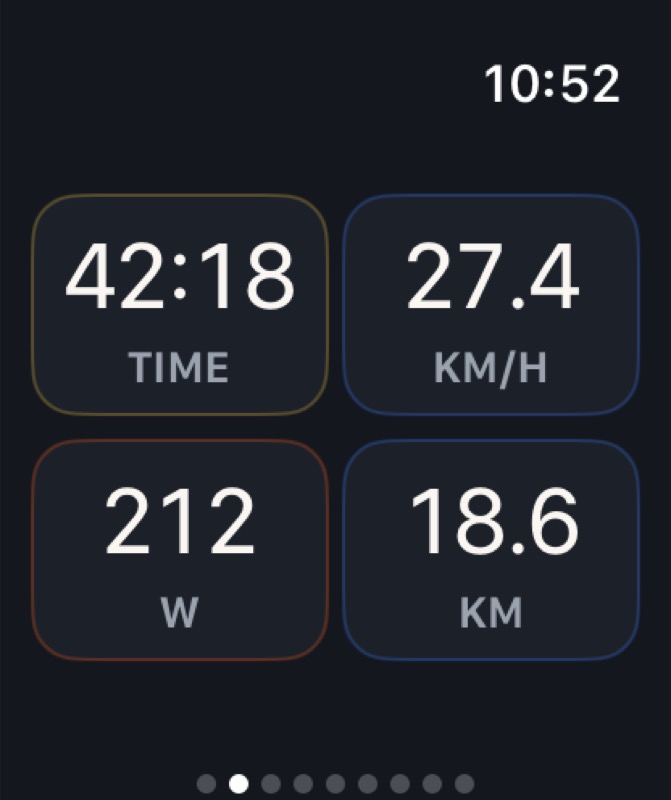
Move metrics between pages instead of accepting someone else's dashboard. Keep a focused hero metric on iPhone or fill the Watch with a clean two-by-two grid built for quick glances.
A complete ride computer on your wrist
Your phone can stay home.
Apple Watch connects directly to the saved bike over Bluetooth, records the workout with its own sensors and GPS, and keeps live ride and bike data on your wrist. The iPhone is an optional bigger view—not a relay you have to carry.
- 1Direct bike connection
See speed, power, cadence, battery, range, assist, and more without an iPhone nearby. - 2Full workout recording
Start, pause, resume, lap, and finish from your wrist, with supported data saved to Apple Health. - 3Glanceable metric grids
Four generous tiles per page, with no unnecessary category headers. - 4Phone-enhanced routes
Load a route on iPhone to mirror its planned line, progress, position, and course alerts to the Watch.
Compatibility
Does it work with my bike?
Yahride is for e-bikes whose Yamaha drive and display components support YEP1.0 Bluetooth app mode, including third-party frame brands built around compatible Yamaha systems.
What you need
- Yamaha Interface X or Display C configured for YEP1.0 app mode
- An iPhone for installation, bike setup, route library, and the optional larger dashboard
- Health permission for saved cycling workouts and supported metrics
- An Apple Watch for direct, phone-free bike connection and recording; phone-only recording also works
Private by design
Your ride belongs to you.
Yahride does not send your ride, health, location, Bluetooth, or music data to the developer or to a Yahride server.
- 01No account, advertising, analytics, or tracking SDK
- 02Health, location, route, and bike data processed on device
- 03Supported workout data saved through Apple's Health controls
- 04No speed-limit, derestriction, or assist-tuning controls
Good to know
Before your first ride
Setup takes a compatible bike, a few Apple permissions, and a short Bluetooth pairing flow.
See all questionsDo I need an Apple Watch?
No. The Watch provides the preferred workout experience, but Yahride can connect, record, map, and save a ride from iPhone alone.
Do I need to carry my iPhone?
No. After setup, Apple Watch can connect directly to your saved bike, show live bike and workout metrics, record with Watch GPS and sensors, and save supported data to Apple Health. Bring iPhone for its larger live map, route library, imports, and exports.
Can Yahride change my bike settings?
No. Yahride reads supported telemetry and uses only the session commands needed for recording. It has no derestriction, speed-limit, or assist-tuning features.
Does the route need an internet connection?
Your saved route geometry stays local. Apple Maps may use network services for its map presentation, while the planned route, recorded trail, and course status come from the route loaded in Yahride.
Where do finished rides go?
When you save, supported workout data goes to Apple Health and Fitness. Yahride also keeps local ride context and can export GPX, TCX, or FIT files.
Coming soon